

What This Is
Remember those 8 HP 2.5-inch 10K SAS drives I bought for $50? Enterprise pulls, thousands of hours already on them. I knew they weren’t going to last forever. I hoped for a couple years. I got a couple months.
The first SMART errors showed up in the TrueNAS dashboard maybe six weeks after I got everything stable. I told myself it was just the drives settling in. Enterprise drives are dramatic. They throw warnings about everything. I clicked “acknowledge” and went back to troubleshooting why Home Assistant wasn’t talking to my hydroponic nutrient pump.
A week later a second drive started complaining. Then a third. The array was still functional but I was one more failure away from losing everything I’d accumulated — music, projects, the Home Assistant configs I’d spent weekends perfecting. The 4TB HGST drive sitting in the case wasn’t configured as backup. It was just extra storage. Same power supply, same SATA backplane, same point of failure. Rookie mistake. The kind you don’t realize is a mistake until you’re staring at it.
This is the story of how I ended up pulling every drive out of that Jonsbo case, discovering melted SATA power connectors, rigging molex adapters, and finally admitting that TrueNAS was eating my life and Unraid might be the less pretty but more sustainable path.
The Death Spiral
The HP drives were small — 2.5-inch, 10K RPM, loud as hell when they all spun up together. I’d crammed eight of them into a cage meant for maybe six, plus the 4TB HGST for “cold storage.” The case sounded like a server room and ran warm. I told myself enterprise drives like warm. They’re built for it.
They weren’t built for a consumer PSU with cheap SATA power splitters and questionable airflow.
The first drive to go completely silent was in bay 3. TrueNAS marked it FAULTED. I figured I’d replace it eventually — order another cheap SAS pull, rebuild the array, move on. But “eventually” stretched because I was busy and the array was still limping along. Then bay 7 started throwing pre-fail warnings. Reallocated sectors climbing daily. I started checking the dashboard every morning like a weather app, except instead of rain it was drive mortality.
I had maybe a week before the second drive died completely. Two failures in a RAID-Z2 is recoverable. Three is data loss. I was at two and staring at a third that was throwing temperature warnings I didn’t understand yet.
The Damage
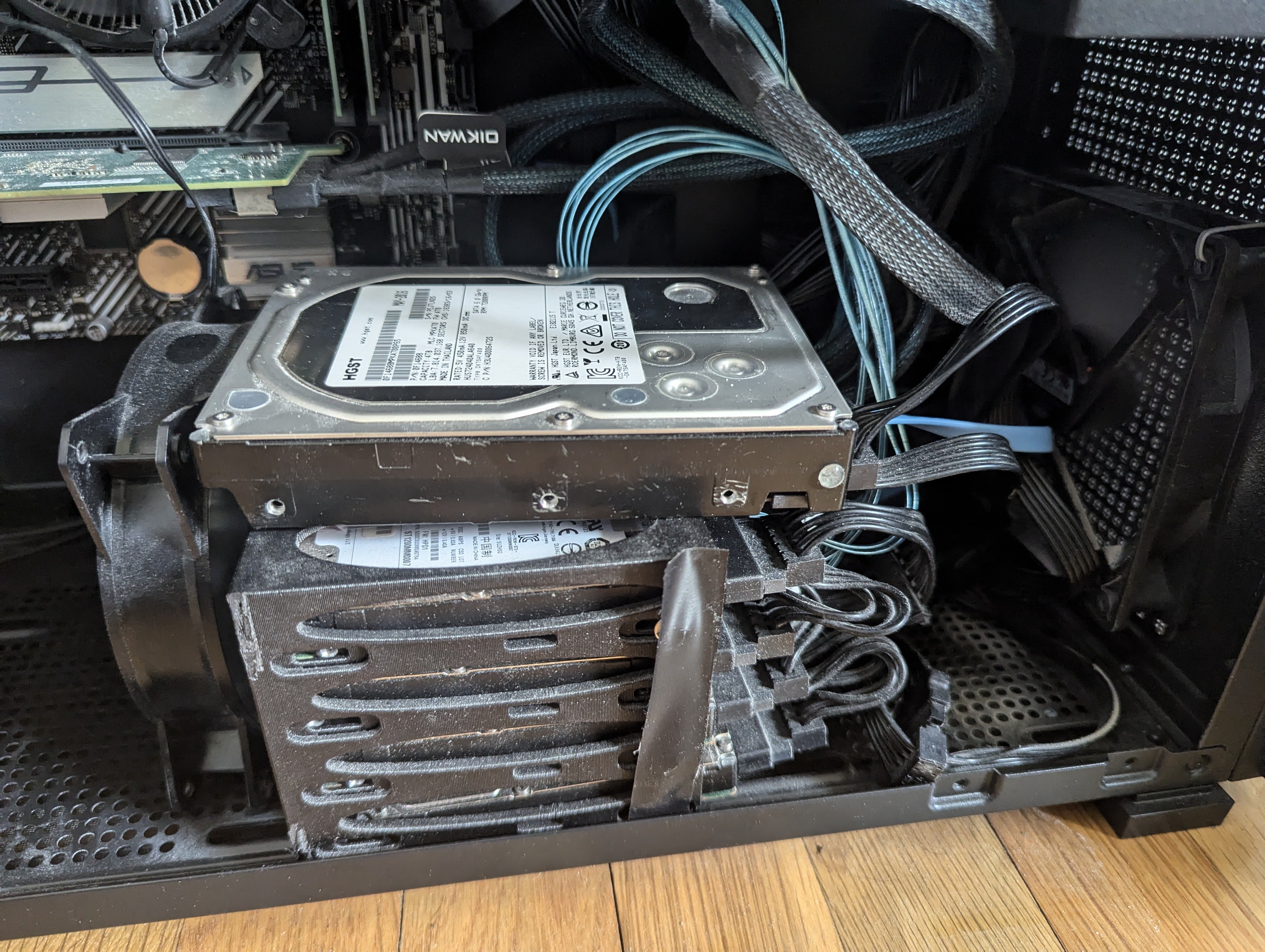
When I finally shut everything down and started pulling drives, I smelled it before I saw it. That sharp, chemical smell of overheated plastic and ozone. Not good.
The SATA power connector on bay 3’s cable was physically fried. Scorched black plastic around the contacts, one pin melted slightly out of shape. The connector on bay 6 was worse — the plastic had deformed enough that it was loose in the socket, which explained the intermittent power issues I’d been dismissing as software glitches. Two more connectors showed heat discoloration. Not fully dead yet, but on their way.
The HP SAS drives had drawn more current than my splitter cables were rated for, or the connectors had worked loose from vibration and started arcing. Either way, my power distribution was cooked. Several SATA power plugs from the PSU were now unusable. I couldn’t just plug new drives in. I needed a workaround, and I needed it before the remaining drives died.
New Drives
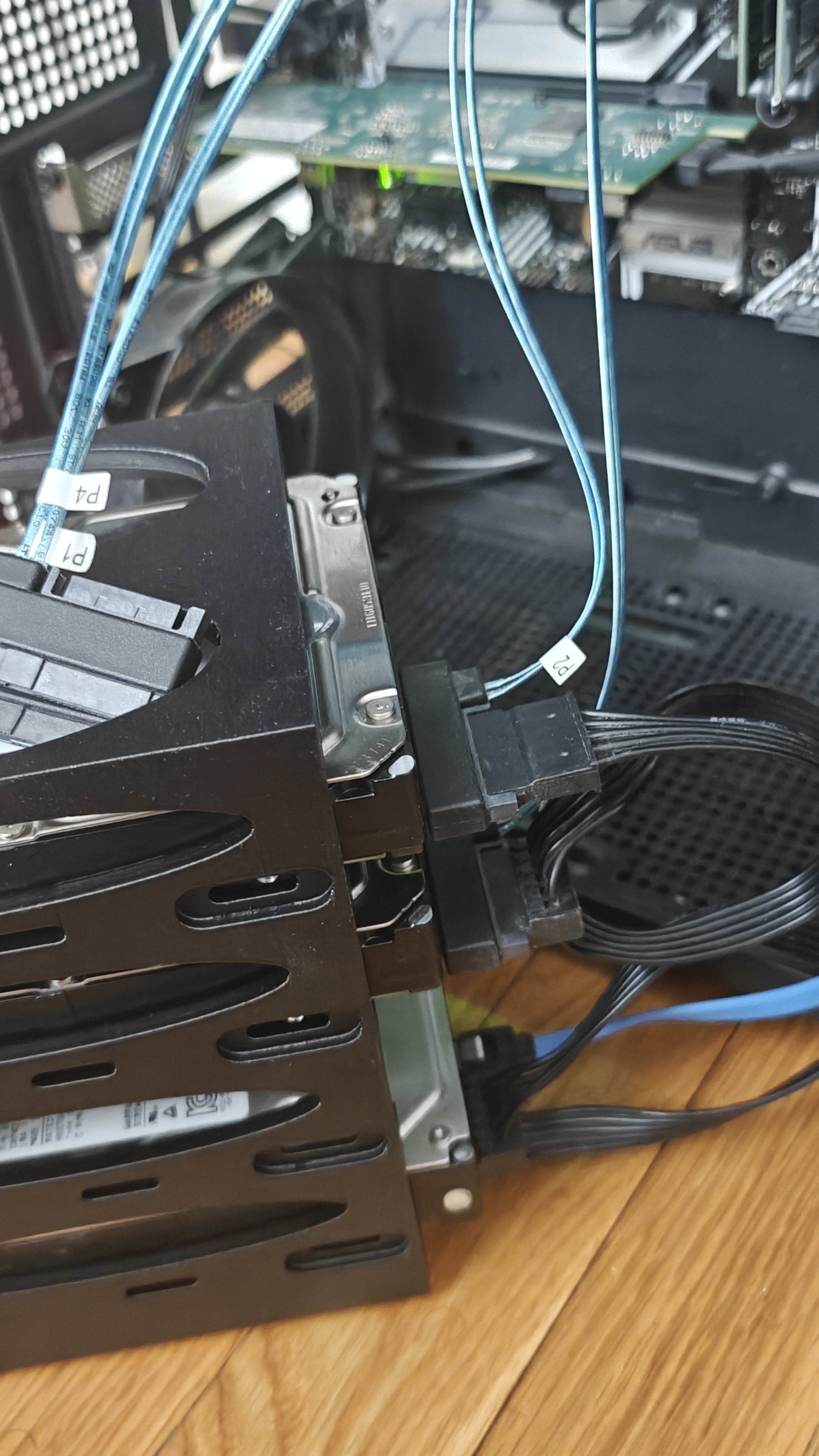
I decided to stop playing the used SAS lottery. Replaced the whole array with:
- 2x Seagate ST2000NM0045 — 2TB, 7200RPM, enterprise-grade but new enough to have actual warranty left
- 1x WD DC HC555 — 16TB, model WUH722016CL5204, 7200RPM, absolute overkill
- Kept the 4TB HGST — somehow still alive, still not backup, but now part of a real parity setup
These are all 3.5-inch drives. Bigger, slower to spin up, way more reliable, and they run significantly cooler than the tiny SAS drives crammed together in that cage. Total usable storage went from “constantly worried about space” to “I won’t think about this for two years.”
The 16TB WD was a splurge. I found it refurbished for less than retail but more than I wanted to spend. Rationalized it by noting that one 16TB drive with parity is simpler than eight 300GB drives in a fragile array. Sometimes you pay for peace of mind.
The Molex Problem
With four SATA power connectors fried and only two clean ones left on that PSU rail, I had to get creative. Dug through my parts bin and found a molex-to-SATA power adapter from a 2012 build. Molex is old school — big, chunky, takes up space — but it carries more current and the connection is more robust.
The adapter splits one molex into two SATA power connectors. I ended up using two adapters, routing power from different rails to avoid overloading any single chain. It looks ridiculous. Like a server built by a mad scientist. But it works.
I also designed and 3D printed a rack to hold the new 3.5-inch drives. The old 2.5-inch cage was designed for eight tiny drives and couldn’t be adapted. The new rack fits in the Jonsbo case but it’s tight — the drives sit closer to the glass side panel than I’d like, and getting that panel on requires serious cable management. Which I didn’t do. I just shoved wires where they’d stay and hoped.
The TrueNAS Breakup
TrueNAS and I had been fighting for months. Every update seemed to break something — network shares disappearing, NFS mounts timing out, plugins that worked fine yesterday refusing to start today. The ZFS pool was solid, the underlying tech was great, but the operational overhead was constant.
Debugging meant hours in forums full of people with similar problems and no solutions. The TrueNAS community is knowledgeable but assumes you speak ZFS fluently. I don’t. I know enough to be dangerous and enough to know when I’m out of my depth.
I asked my AI agents — I call them my butlers — to suggest alternatives that were easier to diagnose when things went sideways. They pointed me at Unraid. I’d dismissed it before because it’s paid software and the interface looks like a web app from 2010. But the community is enormous, the app ecosystem runs on Docker, and troubleshooting is more “restart the container” than “scrub the ZFS pool and pray.”
Learning Unraid
Unraid is $50 a year for up to 6 storage devices. The license model is fair. The UI is genuinely offputting. For $50 a year I expected something polished. Instead I got beige boxes, tiny fonts, and navigation that feels like it was designed by engineers for engineers. Which it was.
But underneath the ugly interface, the concept is simple: one or two parity drives protect the array. If a drive dies, you replace it and rebuild. No complex RAID levels. No striping. Just “these drives hold files, these drives watch for problems.” That’s it. That’s the whole pitch. And honestly? That’s all I needed.
The Docker complexity is real and gives me anxiety. I’m not a backend engineer. Containers, volumes, bridge networks, compose files — it’s a lot of moving parts that can break in ways I don’t understand. My solution is pragmatic if not elegant: I SSH into the server and have my CLI butlers walk me through logs and restart commands. They explain what broke and why. I follow instructions. It works.
Home Assistant migrated over without drama. I was worried about losing my hydroponic automations — the nutrient pump timing, the grow light schedule, the pH monitoring alerts. But I exported a backup from TrueNAS, imported it into Unraid’s Docker container, and everything came back online. The garden doesn’t care what OS the server runs. The plants just want their nutrients on schedule.
Results
The new drives run noticeably cooler. The case is quieter — 3.5-inch drives at 7200RPM are nowhere near as shrill as eight 2.5-inch 10K SAS drives screaming in unison. No more fan-spin-up panic when something accesses storage. No more daily SMART anxiety.
The 16TB WD is overkill for what I need right now. I’m using maybe 3TB across everything. But it means I won’t have to think about storage expansion for years, and I can finally start archiving project files locally instead of relying on cloud storage.
Downside: the case is even more of a disaster inside. The glass panel technically fits but it bows slightly from cable pressure. I’ve accepted that this build will never be Instagram-worthy. It’s functional. That’s the aesthetic now.
What I Learned
Backups aren’t optional. I thought having a separate 4TB drive meant I was covered. It doesn’t. You need actual backup strategy — offsite, automated, verified. Not just extra storage sitting in the same case waiting for the same power supply to fail.
Used SAS drives have a shelf life. Enterprise pulls are cheap because they’re already worn out. The $50 I saved cost me in data anxiety, replacement drives, fried cables, and a full weekend rebuild. Next time I’m buying new or at least checking power-on hours before I commit.
SATA power connectors can fry. I didn’t know that was a thing until I saw the melted plastic. If you’re running used drives, check your connectors monthly. Look for discoloration, smell for ozone, feel for heat. The warning signs are there if you look.
Unraid is easier but uglier. TrueNAS looks better and has ZFS, which is objectively superior. Unraid is simpler to operate, easier to recover, and has a bigger app ecosystem. Pick your poison. I picked the one that lets me sleep at night.
Docker is powerful but intimidating. Having AI agents that can SSH in and explain what’s wrong is basically mandatory for me. Without them I’d be restarting the whole server every time a container acted up. The future is weird and helpful.
Final Word
This rebuild wasn’t planned. It was forced by dying drives, the smell of burning plastic, and the realization that my backup strategy was imaginary. The new setup is more reliable, has way more storage, and runs cooler. But the case is a mess inside and I’m still learning Unraid’s quirks.
If you’re building a NAS with used drives, budget for replacements in your first year. And actually set up backups. Not “I’ll copy stuff over later.” Real backups. Offsite. Automated. Tested. Learn from my mistake so you don’t have to smell melted SATA connectors at 2 AM.
Rebuild: May 2026 Status: Running Unraid, Home Assistant migrated, new drives healthy, still no cable management


