

What This Is
My MacBook Air M1 has had a broken screen for a while. Rather than spend $500+ on a replacement display, Im exploring what it would take to turn it into a compact desktop machine. Custom box that sits in front of my keyboard, keeping the speakers and trackpad functional.
Inside
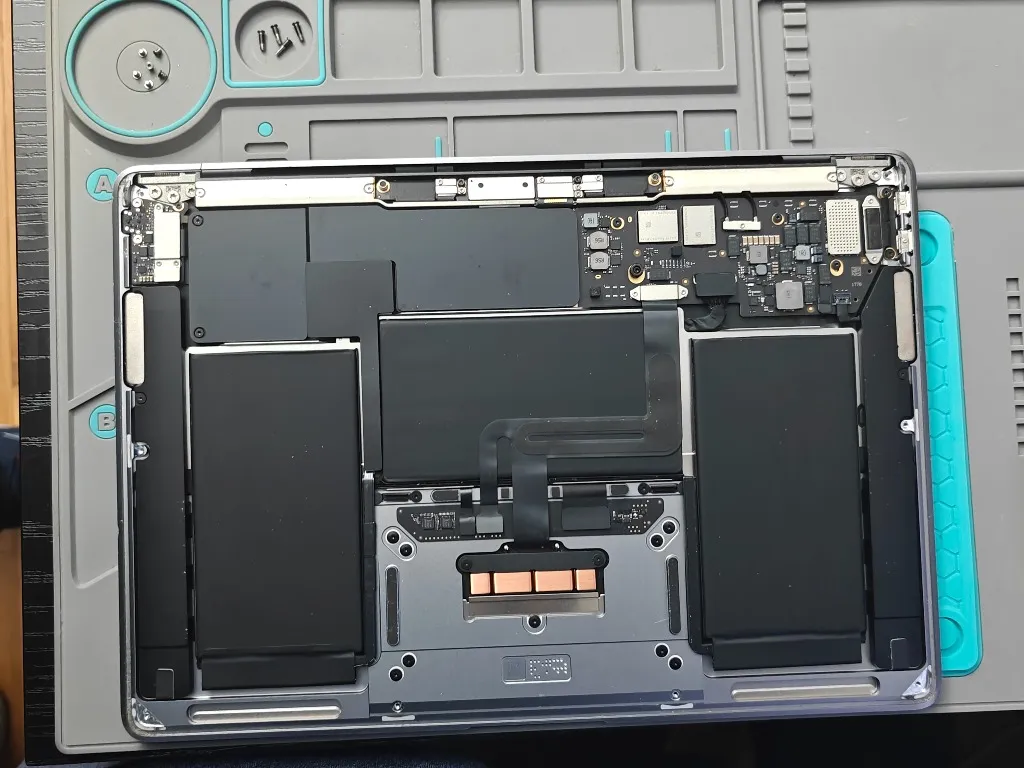
Bottom case off. Battery dominates the left side, logic board on the right. Trackpad controller and speakers fill the remaining space. Clean layout.
Parts to extract:
- Logic board (M1 chip, RAM, storage, all soldered)
- Speakers (stereo, surprisingly good)
- USB-C/Thunderbolt daughterboard
- Trackpad assembly
- Battery (optional, could run wall-powered)
Logic Board
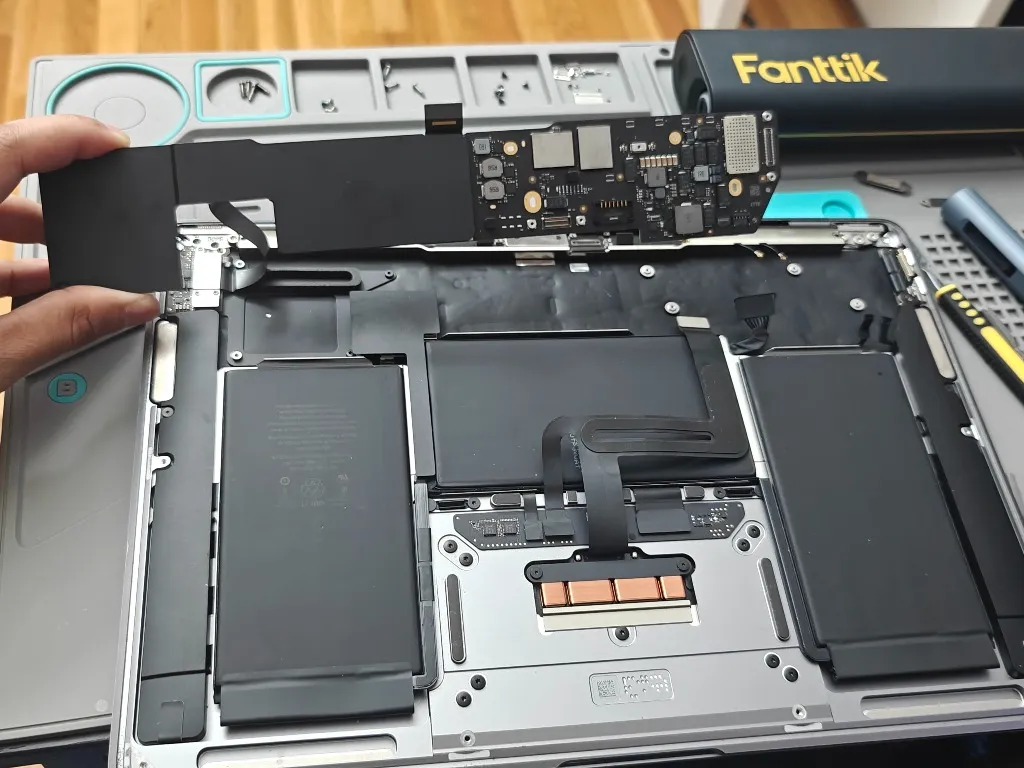
The logic board is tiny. Disconnect the battery first, then the ribbon cables. A few screws hold it in. The flex cable to the trackpad is delicate. Be careful.
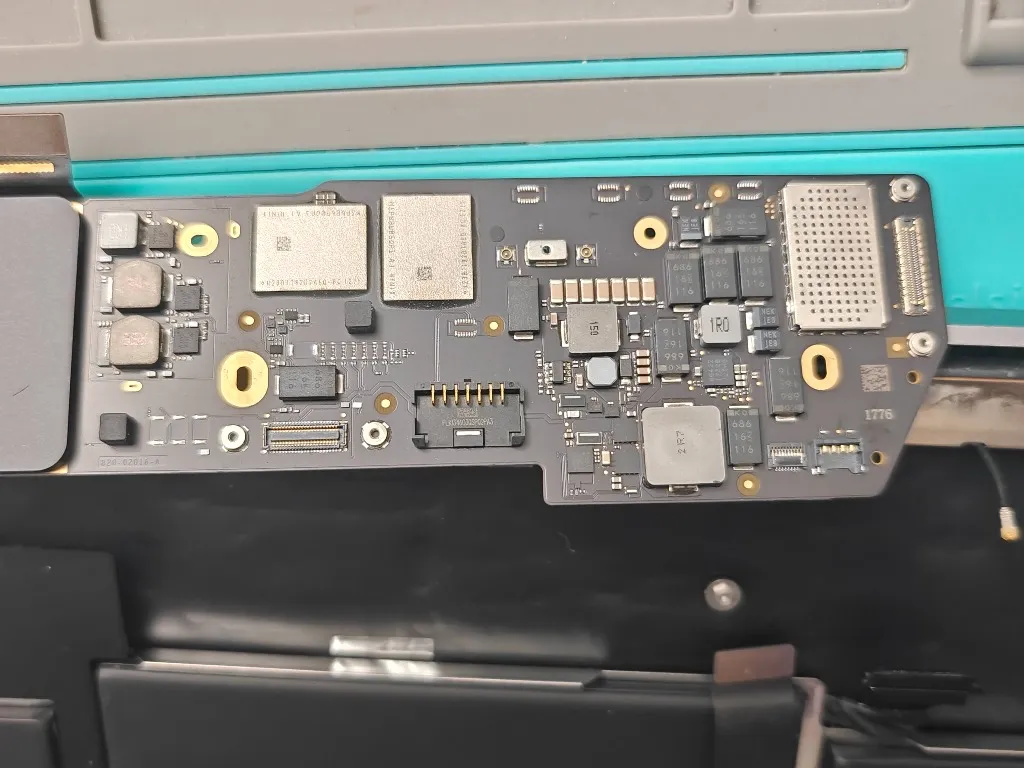
Underside shows the connector array: display, trackpad, speakers, USB-C daughterboard. Any custom enclosure needs to account for all of these.
USB-C Daughterboard
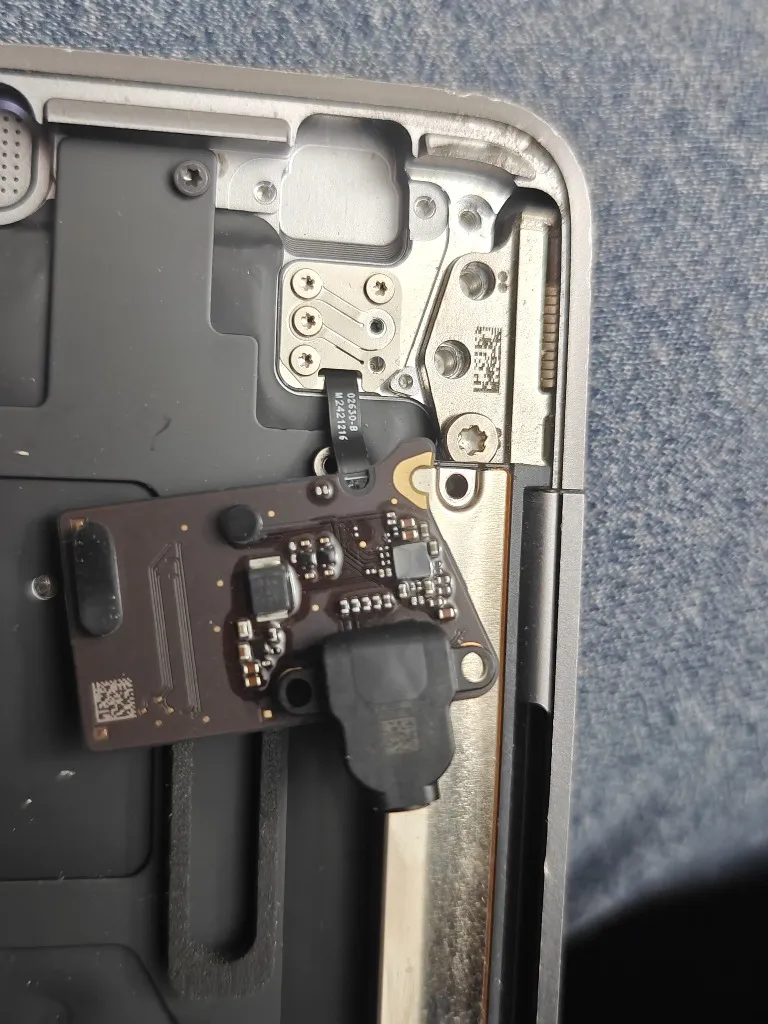
Both Thunderbolt/USB-C ports live on a small daughterboard with a flex cable to the logic board. Could potentially be repositioned in a custom enclosure for better port access.
Battery
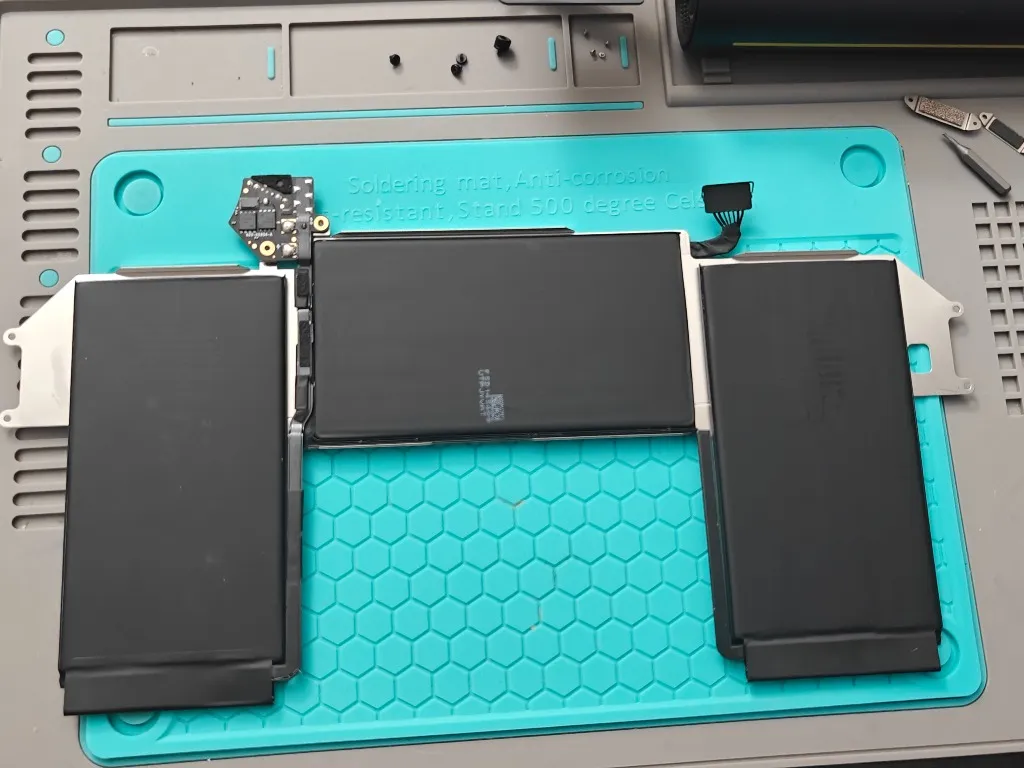
Four-cell design. For a desktop build I could keep it for backup power or skip it entirely and run direct.
Whats Next
The idea is a compact box that houses the logic board, keeps the trackpad functional in front of the keyboard, retains the speakers, exposes both USB-C ports, and possibly includes the battery.
Still in the ideation phase. Need to figure out cooling - the M1 is fanless but still needs passive dissipation. Also physical dimensions and how to cleanly mount everything.
Teardown: December 24, 2025 Status: Ideation and planning


